

Python 2.7 EPAL
A Thonny-style Python 2.7 programming environment for third-year students of the IT track in Greek vocational schools (EPAL).
- Version
- 1.3.0
- Requires
- Windows 10/11 (64-bit) and Python 2.7
- Size
- 104 MB
- Updated
- 3 October 2026
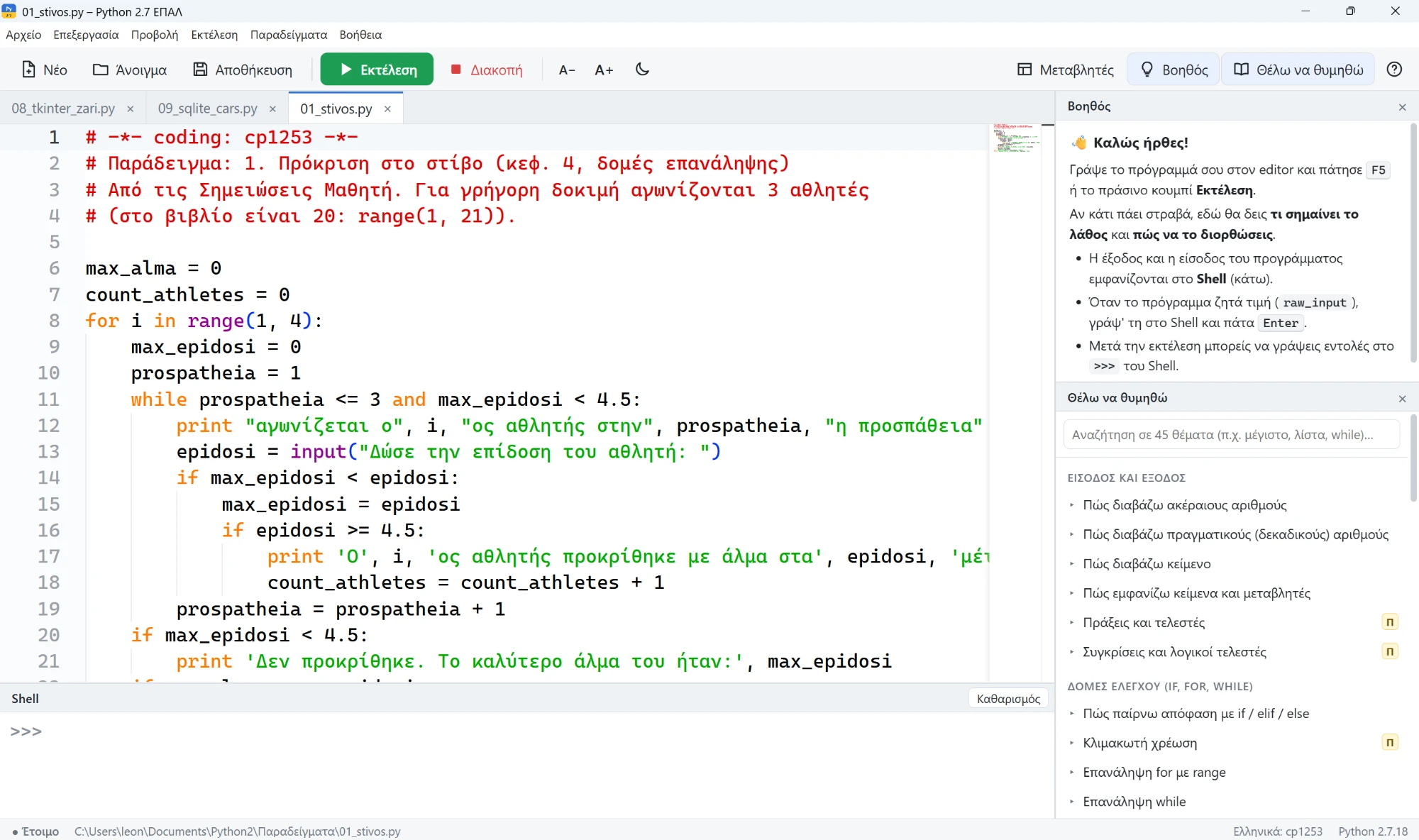
A Python 2.7 programming environment for the course “Computer Programming” of the third year of Greek vocational schools (EPAL, IT track), inspired by Thonny. It follows the syllabus of the course’s student notes. The interface and the help are in Greek.
Features
- Modern editor with IDLE-style colours, automatic indentation, autocomplete with Greek descriptions, find and replace, and tabs for several files.
- Shell below the editor, as in Thonny, with input (
raw_input/input) inside the program’s output. - Error assistant in Greek: explains what an error means, suggests what to try and shows a wrong/right example. Syntax errors are underlined as the student types.
- Variables panel with values and types.
- “I want to remember” (F8): 45 short topics on the basic algorithms and commands of the syllabus, with examples that go into the editor with one click. It shows which past national exam questions (2022–2026) asked for each algorithm.
- Greek text works without
# -*- coding -*-, as in IDLE on Greek Windows. - Examples from the textbook: search, sorting, stack, queue, files, Tkinter, SQLite.
Which file to download
The “Download” button opens the page of the latest release on GitHub. You will find two files there:
| File | When to use it |
|---|---|
…-setup.exe | Installation on a lab computer, for all users |
…-portable.exe | Runs without installation, e.g. from a USB drive |
Requirements
- Windows 10 or 11 (64-bit).
- Python 2.7 installed (e.g. 2.7.18), usually in
C:\Python27. If it is elsewhere, set the path in File → Settings inside the app.
License
CC BY-NC-SA 4.0: free and open source. You may use, copy and modify it with attribution to the author and without commercial use.
Screenshots
Windows may show a SmartScreen warning for apps that are not widely downloaded. Choose “More info” and then “Run anyway”.