

EduHTML Studio
An educational HTML5 and CSS3 editor with a built-in browser for the first year of Greek general lyceum (ΓΕΛ) and the IT track of vocational schools (ΕΠΑΛ).
- Version
- 1.3.1
- Requires
- Windows 11 (64-bit)
- Size
- 80 MB
- Updated
- 10 October 2026
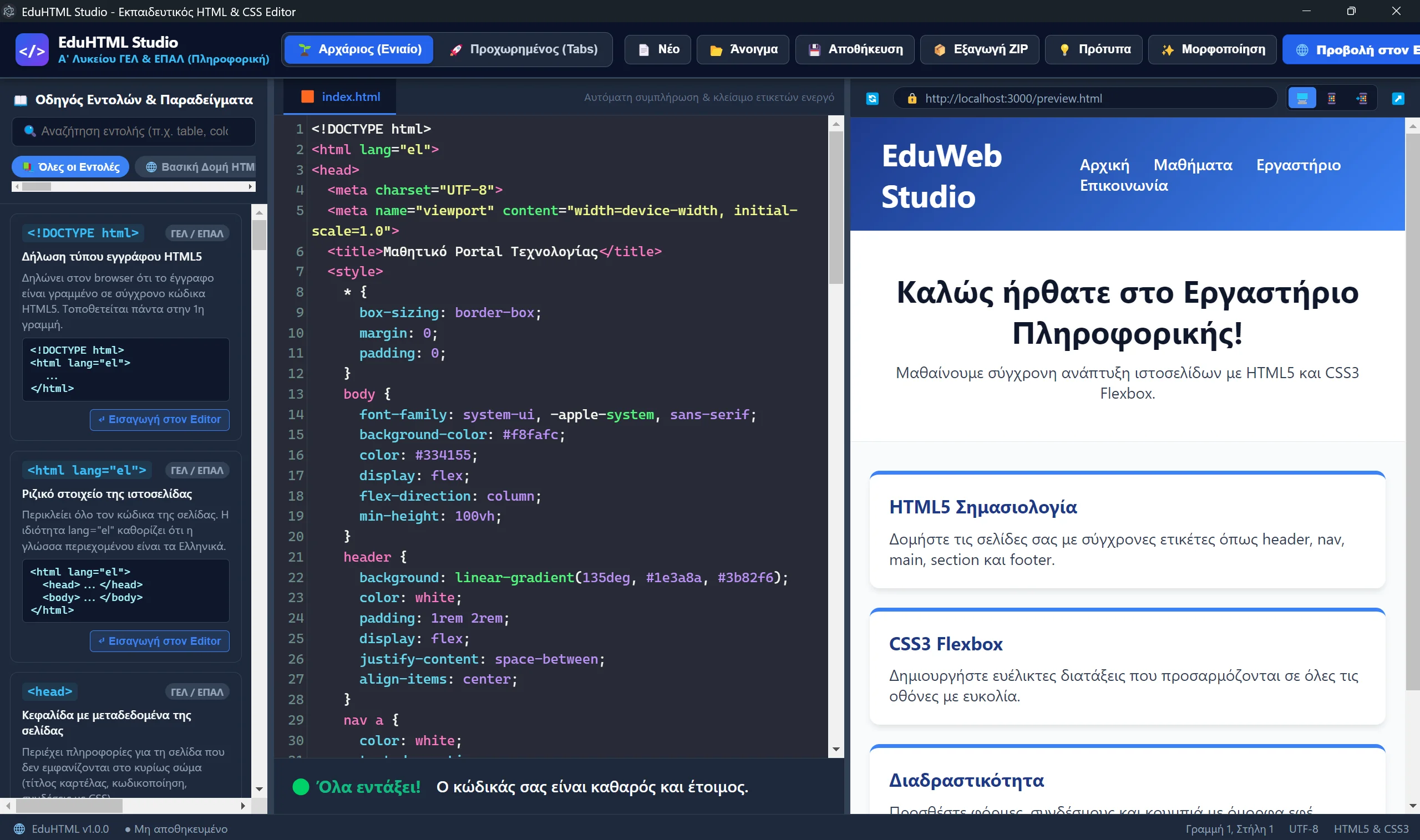
EduHTML Studio is a complete, easy-to-use and safe environment that works offline, made for teaching and lab practice with markup and styling languages. It targets the course “IT Applications” of the first year of general lyceum and the web-design courses of the IT track in vocational schools. The interface and the help are in Greek.
Features
- Two working modes: “Beginner” (a single
index.htmlfile with internal CSS) and “Advanced” (separate tabs forindex.htmlandstyle.css). - Smart autocomplete: suggestions for HTML5 tags and CSS properties, with automatic closing tags and the cursor placed in the right spot.
- Instant preview in a built-in browser, with the option to open the page in Edge, Chrome, Firefox or Brave.
- Command guide in Greek: all HTML5 tags, CSS3 properties and basic JavaScript commands, with an explanation, an example and a button to insert it into the editor.
- Error assistant: detects Greek characters inside tags, misspelled tags, wrong structure and unclosed tags, with messages in Greek.
- Ready-made templates: from a basic HTML5 skeleton to forms, tables, Flexbox and (in “Advanced” mode) interactive JavaScript examples.
- Homework tools: export to ZIP for the e-class platform, one-click code formatting and a larger font for projecting on the board.
Which file to download
The “Download” button opens the page of the latest release on GitHub. You will find two files there:
| File | When to use it |
|---|---|
…-Setup-….exe | Regular installation on a computer, with an all-users option |
…-Portable-….exe | Portable version that runs without installation, e.g. from a USB drive or in a school lab |
Requirements
- Windows 11 (64-bit). The app uses the Microsoft Edge that is preinstalled.
License
CC BY-NC 4.0: free use and distribution for educational purposes, with attribution to the author (Leon Prokopis) and no commercial use.
Screenshots
Windows may show a SmartScreen warning for apps that are not widely downloaded. Choose “More info” and then “Run anyway”.